P11 · difficulty 3/3 · 3–4 hours over two sessions
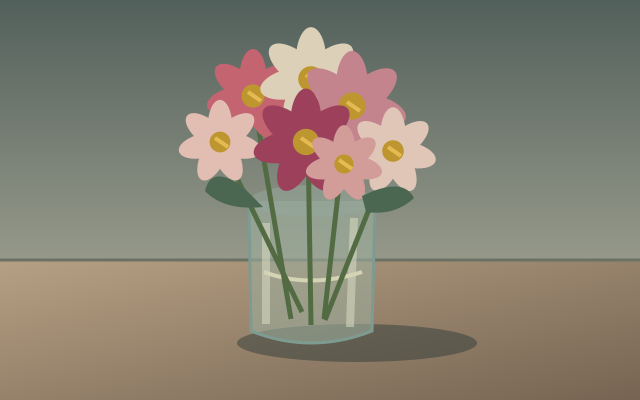
Flower in a jar
Organize many small shapes into large masses and render transparent and opaque surfaces.
Prepare for this project
Optional project after Module 11 · Complete paintings.
Prerequisite lessons
- 04.05 · Paint a monochrome mug
- 08.01 · Block in opaque shapes
- 08.03 · Make a glaze
- 10.02 · Find large shapes and negative space
- 10.04 · Make value thumbnails and choose a focal point
- 11.02 · Ground, draw, and block in
- 11.03 · Refine color, form, and edges
Skills you will practise
- Group flowers into masses
- Simplify reflections on glass
- Keep fine detail near the focal area
Prepare the surface and paint
- Surface
- 24 × 30 cm portrait format
- Brushes and tools
- Large flat, medium filbert, medium round, small round.
- Drying breaks
- Allow at least 3 breaks; test the scrap swatch before another layer.
Titanium White, Lemon Yellow, Vermilion, Crimson Red, Rose, Ultramarine, Phthalo Blue, Burnt Sienna, optional greens.
Your project palette
Choose your paints to match these roles to your own tubes. You can also follow the listed palette above.
Make the value plan first
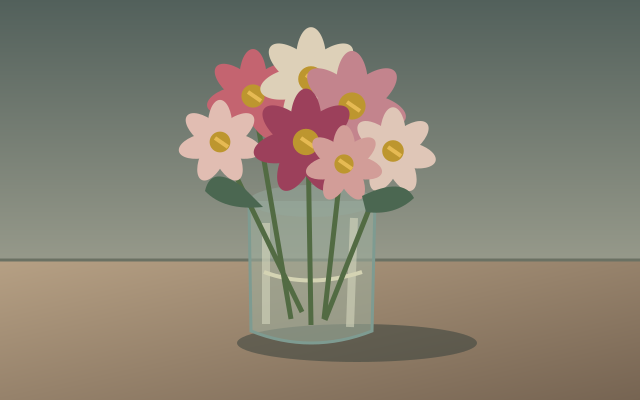
Use the supplied reference as framed, or use your own photo. Open it in the Value Lab and choose 3 values to see the large light, middle and dark shapes.
Open Value Lab · Make a painting sheet
Check your dry light, middle and dark swatches against the plan.
Numbered stages
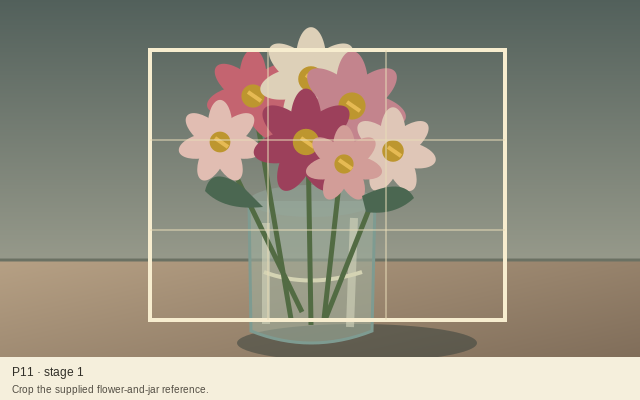
- Crop the supplied flower-and-jar reference.
Mixture, brush and checkpoint
Mixture: No paint yet. Leave room for the jar, flower mass and cast shadow.
Tool and motion: Composition Lab: crop the source with room around the bouquet and its cast shadow.
Check: The crop keeps the jar grounded and the bouquet clear of accidental frame contacts.
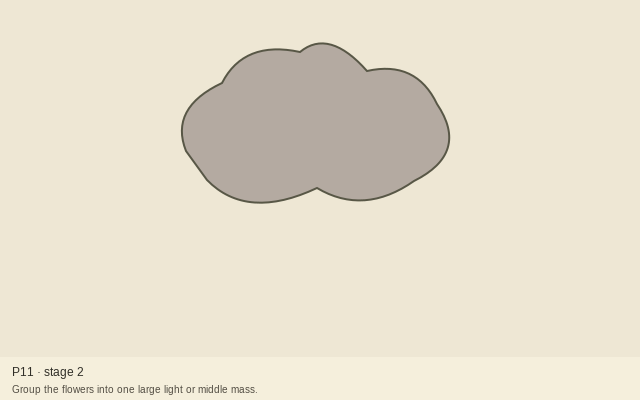
- Group the flowers into one large light or middle mass.
Mixture, brush and checkpoint
Mixture: Flower middle: Crimson 1 + Rose 1 + White 2; change toward your chosen bouquet after a dry test.
Tool and motion: Large flat or pencil with three tones: outline the bouquet as one simple light or middle mass.
Check: The bouquet reads as one large mass before individual flowers.
- Group stems and jar into simple shapes.
Mixture, brush and checkpoint
Mixture: Jar middle: Ultramarine 1 + Sienna 1 + White 2. Keep a separate background pile for reflections.
Tool and motion: Light pencil or medium round: group the jar and stems into simple large shapes.
Check: The stems and jar remain simple silhouettes.
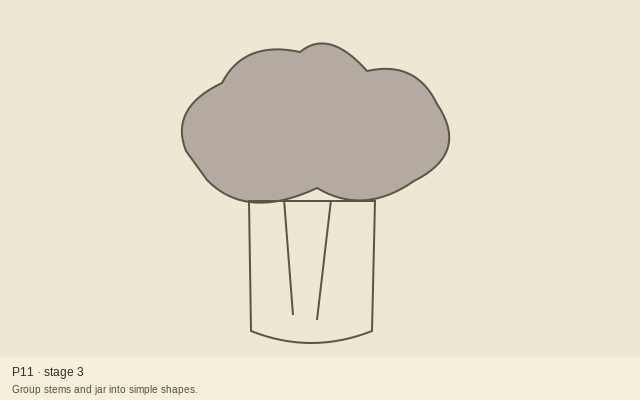
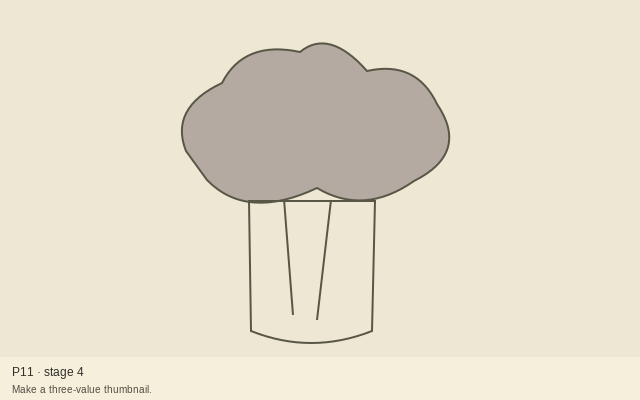
- Make a three-value thumbnail.
Mixture, brush and checkpoint
Mixture: Use three neutral values to group background, bouquet and jar before detail.
Tool and motion: Value Lab or three-tone pencil thumbnail: check the large value groups before petals.
Check: The subject remains recognizable as a three-value thumbnail.
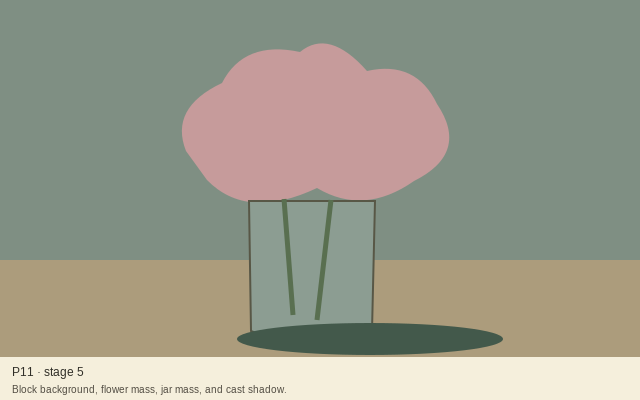
- Block background, flower mass, jar mass, and cast shadow.
Mixture, brush and checkpoint
Mixture: Use prepared background, flower middle, jar middle and the shared neutral dark.
Tool and motion: Large flat: block background, bouquet, jar and cast shadow as connected masses.
Check: The whole arrangement reads before petals or glass highlights.
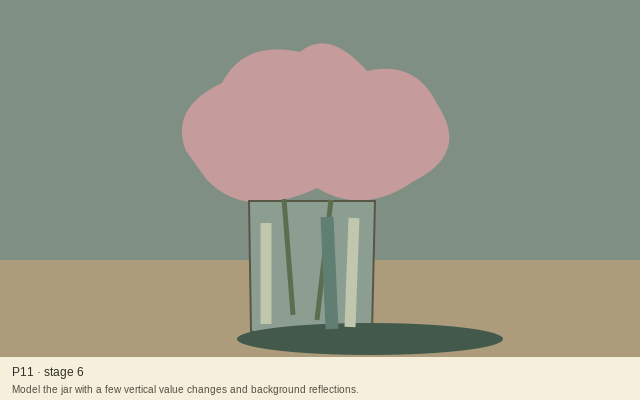
- Model the jar with a few vertical value changes and background reflections.
Mixture, brush and checkpoint
Mixture: Use background color plus a small white addition for reflections; use neutral shadow for only a few jar edges.
Tool and motion: Medium filbert: pull a few broad vertical jar transitions; use neighboring background color for reflections.
Check: The jar turns with a few value changes rather than one continuous dark outline.
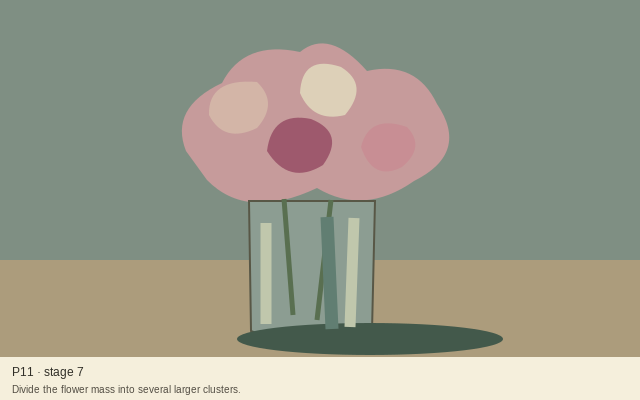
- Divide the flower mass into several larger clusters.
Mixture, brush and checkpoint
Mixture: Divide the flower middle into warmer/lighter and cooler/darker test portions, keeping large groups connected.
Tool and motion: Medium filbert: press several large flower-cluster planes into the existing bouquet mass.
Check: Larger clusters remain visible when the image is blurred.
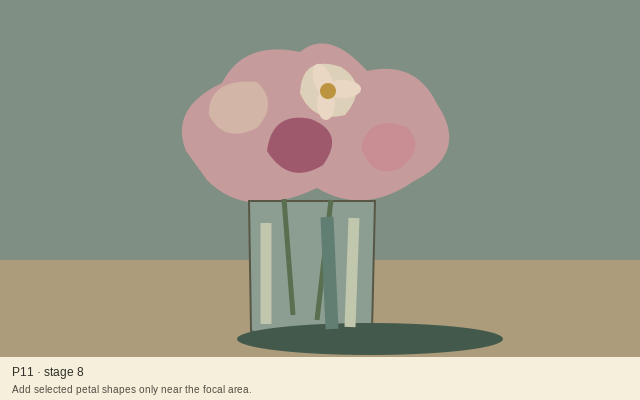
- Add selected petal shapes only near the focal area.
Mixture, brush and checkpoint
Mixture: Use small light and dark flower portions only near the chosen focal cluster.
Tool and motion: Medium round or filbert tip: place selected petal shapes only near the focal cluster.
Check: Selected petals clarify one focal cluster without becoming confetti.
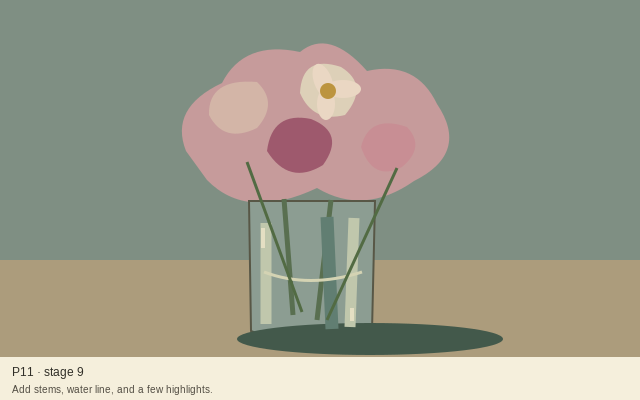
- Add stems, water line, and a few highlights.
Mixture, brush and checkpoint
Mixture: Use muted greens for stems; keep white-rich highlights to a few short broken marks.
Tool and motion: Small round: draw a few stems and the water line; add a few short broken highlights.
Check: The water line and a few crossings describe the jar without tangling the stems.
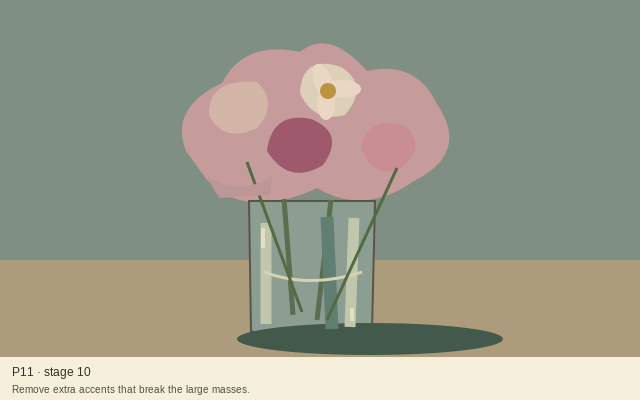
- Remove extra accents that break the large masses.
Mixture, brush and checkpoint
Mixture: Use the surrounding flower, jar or background mixture to cover extra accents and reconnect masses.
Tool and motion: Medium filbert: cover extra accents with the neighboring mass color to restore grouping.
Check: At thumbnail size the bouquet is grouped and the jar remains quiet.
Checkpoint pictures
Check the painting
The bouquet reads as a grouped mass at thumbnail size and the jar remains simple.
Repairs
- Petal confetti: repaint larger flower clusters and restore only selected petals.
- Outlined glass: use value shifts and reflected background colors instead of a continuous dark contour.
- Tangled stems: keep only a few visible crossings.