Lesson 10.04 · Drawing and composition · 20 minutes
Make value thumbnails and choose a focal point
You will learn to plan contrast and attention before the full painting.
Review 10.03 · Measure proportions and transfer a grid if you need it.
See it
Read
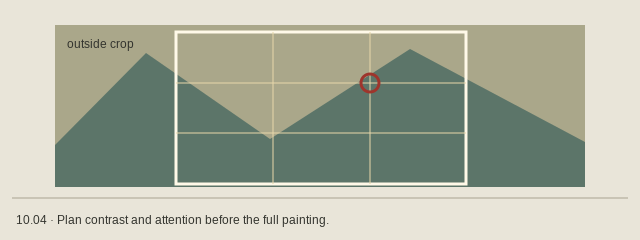
A thumbnail is a small plan that leaves out details. Make three with light, middle and dark only. Change one main shape each time. A focal area is the place you want the eye to notice first. Concentrate the strongest light-dark contrast or the clearest edge there.
Try it
Optional screen activity · Composition Lab: value thumbnails
Paint it
Gather your materials
- Chosen crop and three-value plan
- Pencil, ruler and scrap paper
- Optional Composition Lab
All exercise steps
- Draw three rectangles about 5 cm wide in the crop's proportions. Leave white for light, shade once for middle and press or crosshatch for dark.
- In the first rectangle, copy just the three biggest shapes from the value plan. In the second, move one large dark shape or join it to another dark shape. In the third, enlarge one light shape near the subject.
- Hold each thumbnail at arm’s length. Circle the area you notice first. Pick one with a recognizable subject and a single strong area.
- Write which edge or contrast you will keep strongest there. Save the corresponding crop variant or keep the paper plan with the project.
Check
What should I be seeing?
The chosen thumbnail reads from arm’s length. One part draws attention before the others.
Fix
If two areas compete, make their neighboring values more similar away from the chosen focal area. Compare the plans again before adding detail.
Save
Save a physical swatch or painting photograph in your journal. Use the lesson number in its note.