P05 · difficulty 1/3 · 70–100 minutes
Lemon or apple color match
Match a real object while preserving value and form.
Prepare for this project
Required course practice after Module 06 · Match colors you see.
Prerequisite lessons
- 04.02 · Reduce a photo to three values
- 04.04 · Cast shadow and reflected light
- 05.05 · Compare warm and cool mixtures
- 06.01 · Choose a color to match
- 06.02 · Match lightness first
- 06.03 · Match hue and chroma in small trials
- 06.04 · Scale a recipe for a fruit study
Skills you will practise
- Compare a dry swatch with a target
- Correct value, hue and strength of color
- Scale a recipe and use it on a lit form
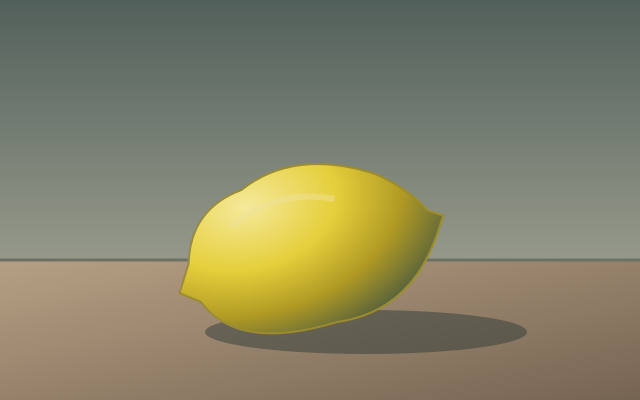
Prepare the surface and paint
- Surface
- 18 × 24 cm primed surface
- Brushes and tools
- Large flat, medium filbert, medium round, small round.
- Drying breaks
- Allow at least 1 break; test the scrap swatch before another layer.
For lemon: Titanium White, Lemon Yellow, Yellow Ochre, Vermilion, Ultramarine, Burnt Sienna. For apple: replace part of the yellow emphasis with Crimson Red or Carmine.
Your project palette
Choose your paints to match these roles to your own tubes. You can also follow the listed palette above.
Apple variant: match the extra paint role
For the apple variant, add Crimson Red, Carmine or another cool red to the lemon palette.
Your project palette
Choose your paints to match these roles to your own tubes. You can also follow the listed palette above.
Make the value plan first
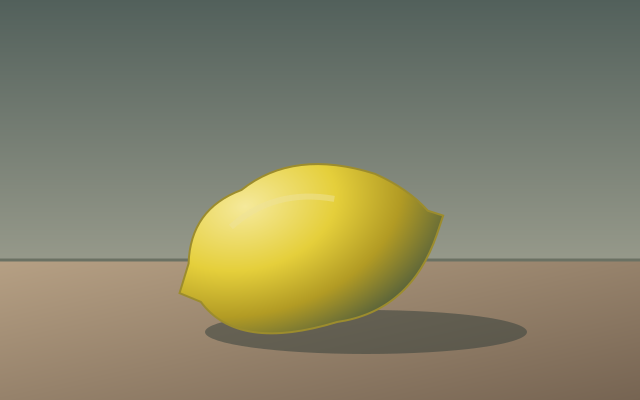
Use the supplied reference as framed, or use your own photo. Open it in the Value Lab and choose 3 values to see the large light, middle and dark shapes.
Open Value Lab · Make a painting sheet
Check your dry light, middle and dark swatches against the plan.
Numbered stages
- Place one fruit under a fixed light or use the supplied reference.
Mixture, brush and checkpoint
Mixture: No paint yet. Keep the fruit and lamp fixed for the whole session.
Tool and motion: One fruit, one lamp and a fixed reference position: do not move them during the session.
Check: One side of the fruit is lit and one is in shadow.
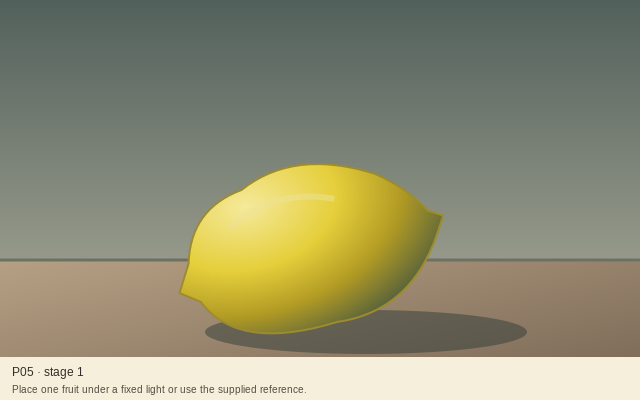
- Make a small light, middle and dark plan.
Mixture, brush and checkpoint
Mixture: Use the value plan on the project page. For your own photograph, leave room for the fruit and its cast shadow when you take it, then choose 3 values in Value Lab.
Tool and motion: Copy the three largest light and dark families on a scrap about 5 cm wide.
Check: The fruit and its cast shadow read clearly in the small plan.
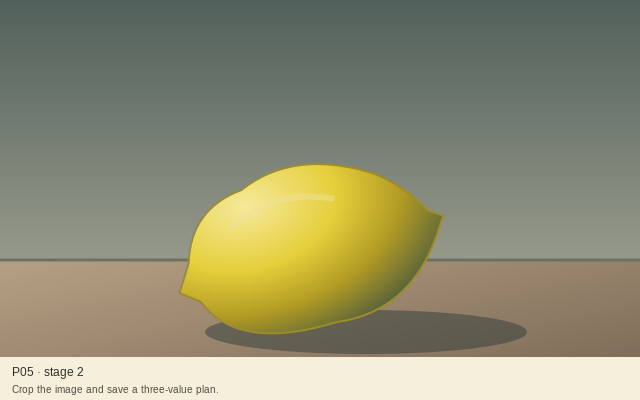
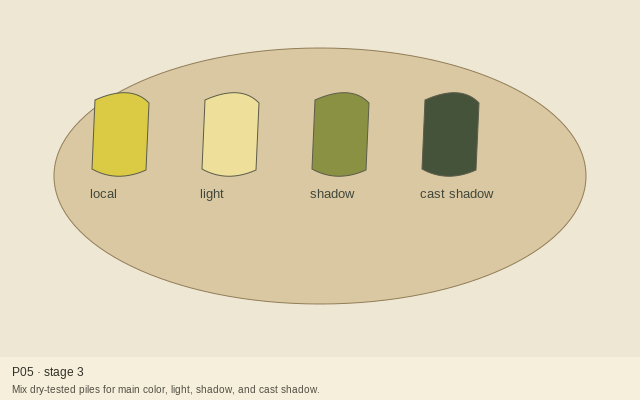
- Mix dry-tested piles for main color, light, shadow, and cast shadow.
Mixture, brush and checkpoint
Mixture: Lemon local: Yellow 4 + Ochre 1. Light: local 2 + White 1. Shadow: local 2 + Ultramarine 1/8 + Sienna 1/4. For apple, start from Crimson with a small Vermilion addition.
Tool and motion: Palette knife: mix separate local, light, shadow and cast-shadow piles; medium flat: dry-test them.
Check: The dry main-color swatch is close in value to the target.
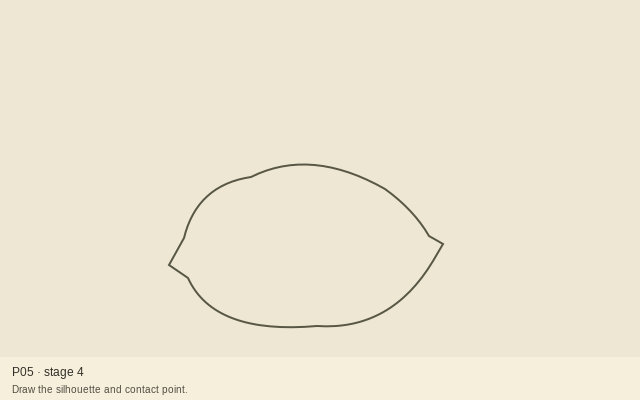
- Draw the silhouette and contact point.
Mixture, brush and checkpoint
Mixture: Use a light pencil or a thin earth mixture for the outline.
Tool and motion: Light pencil or medium round tip: draw the fruit silhouette and its contact point.
Check: The silhouette sits at one believable contact point.
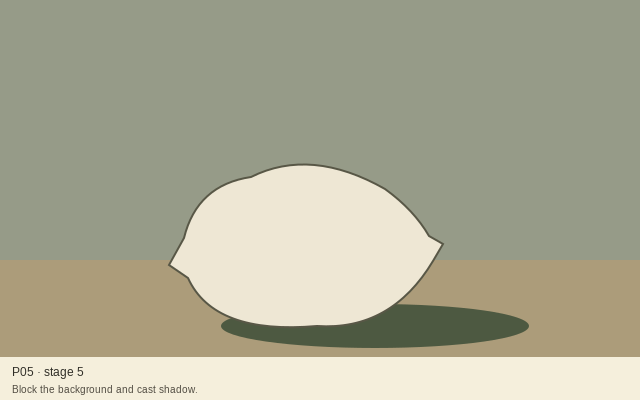
- Block the background and cast shadow.
Mixture, brush and checkpoint
Mixture: Use a muted background; use Ultramarine 1 + Sienna 1 for the darkest contact and cast shadow.
Tool and motion: Large flat: block background first, then place the attached cast shadow with its broad side.
Check: The cast shadow connects to the fruit rather than floating beside it.
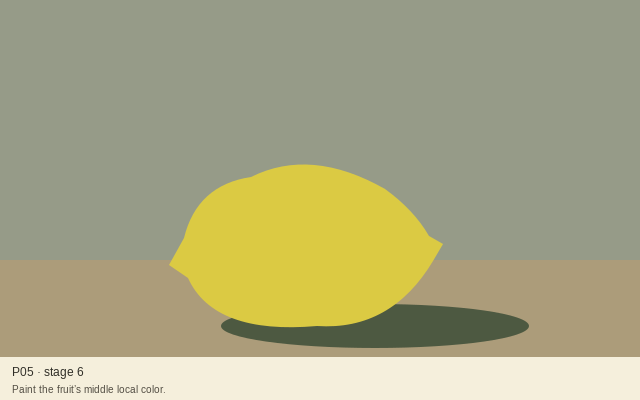
- Paint the fruit’s middle local color.
Mixture, brush and checkpoint
Mixture: Use the prepared dry-tested local-color pile in one broad layer.
Tool and motion: Medium filbert: cover the fruit with one middle-color silhouette using curved strokes.
Check: The middle local color forms one unbroken shape.
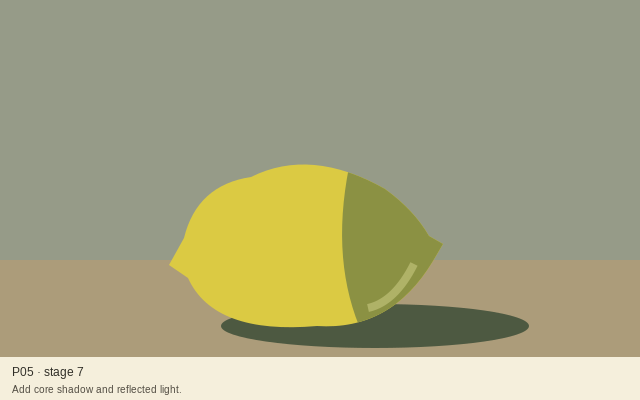
- Add core shadow and reflected light.
Mixture, brush and checkpoint
Mixture: Use the prepared shadow; add a little local color for reflected light, keeping it below the lit-side value.
Tool and motion: Medium filbert: place a connected core shadow; use its edge for the narrow reflected light.
Check: The fruit reads as solid before the highlight is added.
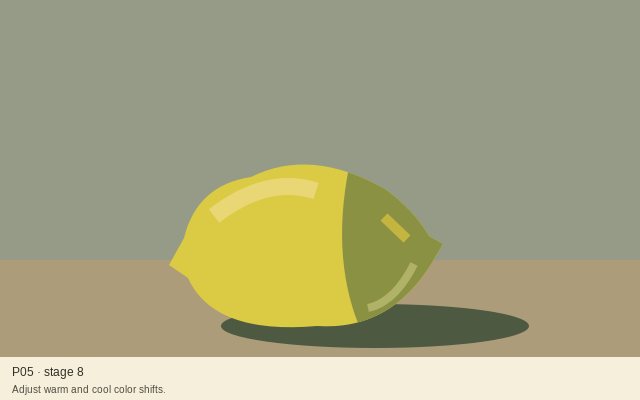
- Paint the broad light side and adjust its warmth if needed.
Mixture, brush and checkpoint
Mixture: Use the light pile from stage 3. To adjust warmth or coolness, try a small dab of yellow, red or blue in a separate test portion.
Tool and motion: Lay the light with the broad face of a medium brush on the side facing the lamp. Leave a band of middle color between it and the shadow. Add any temperature adjustment in a few smaller marks.
Check: A broad light, a middle and a shadow remain visible before the highlight goes on.
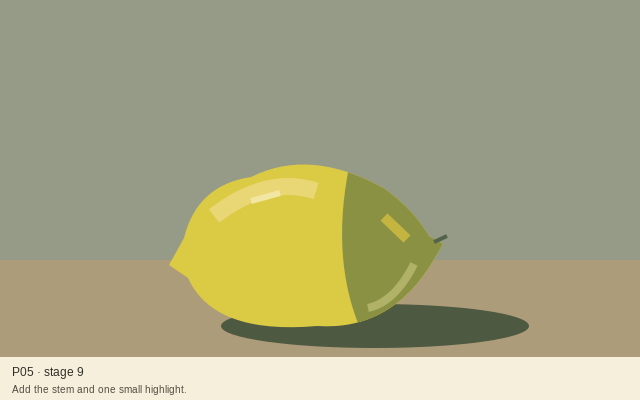
- Add the stem and one small highlight.
Mixture, brush and checkpoint
Mixture: Use the neutral dark for stem/contact; add one small light-mixture accent.
Tool and motion: Small round: add a short stem, a contact accent and one small highlight.
Check: The highlight is small and the dry main color resembles the reference.
Checkpoint pictures
Check the painting
The dry main-color swatch is close to the target and the fruit reads in grayscale.
Repairs
- Flat fruit: strengthen core and cast shadows.
- Overbright highlight: reduce its size and soften one edge.
- Wrong color after drying: glaze a small correction rather than repainting every layer.