Lesson 11.01 · Complete paintings · 20 minutes
Plan the reference, format, and palette
You will learn to create one page that defines the painting before work begins.
Review 10.04 · Make value thumbnails and choose a focal point if you need it.
See it
Read
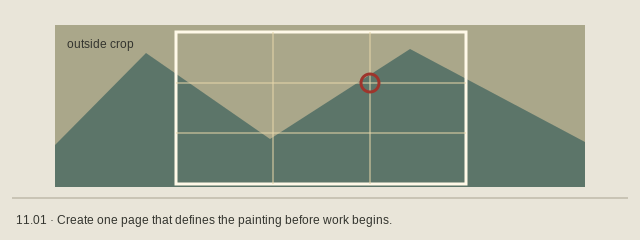
A painting sheet keeps the crop, values, scale, paint choices and dry swatches together. Choose a subject you can draw as a few large shapes. Pick the colors you need for the main light, middle, shadow and one small accent. Let the dry swatches guide your final palette.
Try it
Optional screen activity · Reference Desk: painting sheet
Paint it
Gather your materials
- One reference image and intended painting surface
- Reference Desk or paper and pencil
- Paints from your working palette
- Scrap card, brush, palette, water jars and rag
All exercise steps
- Open the reference in Reference Desk. In Crop, choose a ratio to match your surface. Set the canvas width and height. Add a transfer grid if the drawing needs it.
- In Value, choose Three-value map and adjust the two boundaries as in Lesson 04.02. Keep a clear light, middle and dark. Mark the focal area on your paper plan.
- Choose the tubes for the four main color jobs. Paint and dry a small test swatch for each. Compare value first and record the parts that gave the match, as in Module 06.
- In Painting sheet, choose Update extracted palette to prepare the printed sheet. If Print painting sheet and blank grid stays unavailable, use Palette to extract at least four colors, or choose Save complete composition plan. Keep your physical swatches and recipes beside the plan.
Check
What should I be seeing?
Your plan gives the crop, size, light-dark arrangement and four dry-tested paint choices. You can prepare the main mixtures before you start.
Fix
If a target needs too many paints, simplify it to the nearest dry swatch with the right value. Check that it still reads against the adjacent color.
Save
Save a physical swatch or painting photograph in your journal. Use the lesson number in its note.