Lesson 10.01 · Drawing and composition · 12 minutes
Crop the reference
You will learn to choose the painting’s format and remove distractions.
Review 09.04 · Paint a tree-and-rock study if you need it.
See it
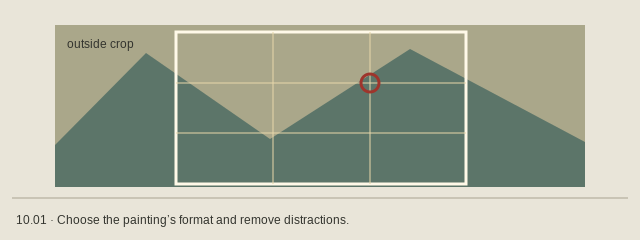
Read
Cropping chooses which part of the reference will fit in the painting. Its aspect ratio is width divided by height. Keep the same ratio while you compare positions. Look for a clear subject, enough space around it and edges that do not just graze the frame.
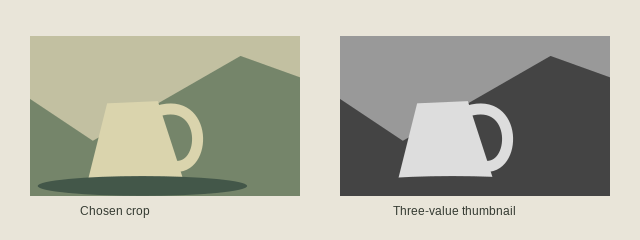
Crop and value-thumbnail workflow · silent demonstration
Try it
Optional screen activity · Composition Lab: crop board
Paint it
Gather your materials
- Composition Lab practice image or your own reference
- Ruler and intended painting surface
- Paper and pencil
All exercise steps
- Measure the painting surface. In Composition Lab, open the Three-object still life. Choose Aspect ratio to match the surface. If it is 20 cm wide and 15 cm high, choose 4:3.
- Drag a box on the small original or use the Crop X, Y and width fields. Watch the larger preview. First leave some space around all three objects. Click Save crop variant.
- Make three more variants with the same ratio. Try a tighter crop, a crop moved left and a crop moved right. Write a short note for each.
- Set Thumbnail width to 160 pixels. Compare the variants in color and in three values. Sketch the winning crop on paper and write why the main subject is clearer there.
Check
What should I be seeing?
One small crop reads clearly and leaves useful room around the subject. Edges at the frame look deliberately included or cut.
Fix
If all four crops feel cramped, make the rectangle larger while keeping the aspect ratio. Compare the area around the subject before comparing details.
Save
Save a physical swatch or painting photograph in your journal. Use the lesson number in its note.