Exit Painting Mode · Glazed cherry
Stage 1 of 9
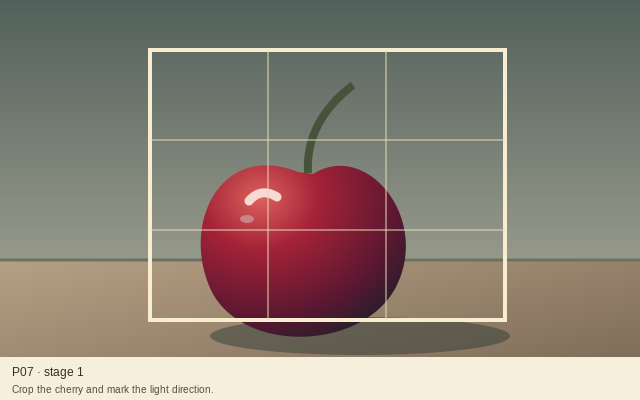
Choose the cherry reference and mark the light direction.
- Paint mixture
- No paint yet. Use the supplied framing and mark the light from the upper left. For your own cherry, frame it with the full cast shadow in view.
- Brush / tool
- Draw a light-direction arrow on the margin of the paper.
- Stop and check
- The crop has one light direction and a readable cast-shadow shape.
Your owned paint matches
Use the listed project colors or choose your tubes in the Paint Box.
Reference and keyboard controls
Left / Right: stages. Space: next stage. F: full screen. Escape: leave full screen or return to the project.
Record painting and corrections in your journal