Lesson 04.01 · Value and form · 10 minutes
See light and dark
You will learn to separate color from value.
Review 03.04 · Drybrush, scumble, and edge control if you need it.
See it
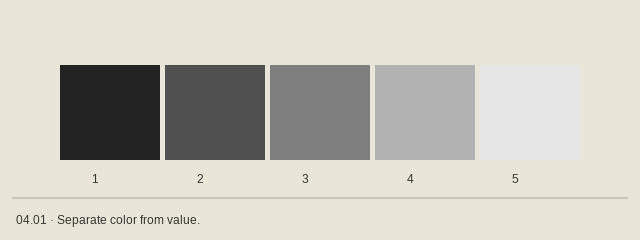
Read
Value means how light or dark something looks. A yellow shape and a blue shape can have a similar value even though their hues, or color families, differ. Grayscale removes hue. Compare the large light, middle and dark shapes first. A tiny bright highlight can wait.
Try it
Optional screen activity · Value Lab: sampler
Paint it
Gather your materials
- Five dry value swatches from Lesson 00.02
- Pencil and white scrap paper
- Value Lab practice image
All exercise steps
- In Value Lab, choose Side-lit mug under Bundled practice image. Start in Original color. Point to one large area you think is light, one middle and one dark.
- Set Image display to Grayscale. Check the same areas. Click each to sample it, or focus the image and move the sampler with arrow keys, then press Enter.
- Lay your dry swatches in number order in front of the screen. Choose the nearest one for each area. Write each choice beside a quick outline of the mug.
- At arm’s length, compare your three choices with the image again. Circle the area where color most changed your first judgment.
Check
What should I be seeing?
You can point to the same three shapes in color and grayscale and rank them by value. Your choices include one light, one middle and one dark.
Fix
If two choices look alike, move back from the image and compare just those two shapes. Look at grayscale again before changing the swatch number.
Save
Save a physical swatch or painting photograph in your journal. Use the lesson number in its note.